

Chat History (Logs)
The Chat History (Logs) feature is where all chat content between the Bot and Customers is stored. This is a “treasure trove” that helps you understand customers and train the Bot to be smarter.Viewing and Filtering Data
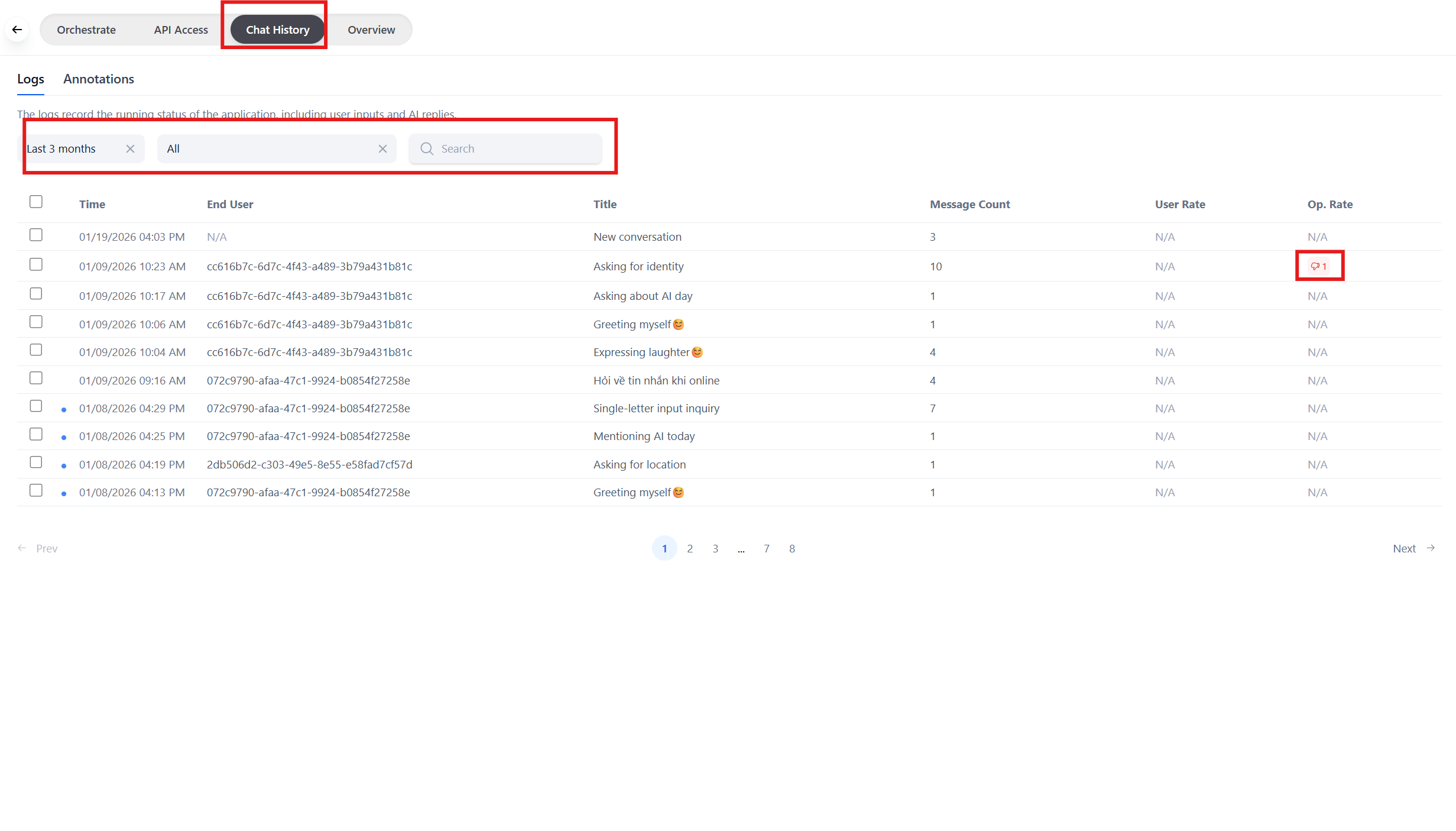
Access the Logs & Annotations menu on the left to view the list.- Conversation List: Displayed in real-time (newest at the top).
- Filter: You can filter by:
- Time: Today, This Week, Last Month.
- Keywords: Search for specific chat content (e.g., find those who asked about “wholesale prices”).
- Status: Filter responses that customers clicked “Dislike” (👎) to fix errors.
Conversation Details
When you click on a row, you can view details:- Full transcript: The entire chat content from start to finish.
- Metadata: Technical information (how many tokens the Bot used for that response, how long the response time was).
Annotation & Error Correction Feature - Important
If you find the Bot answered incorrectly, you don’t need to edit the Prompt immediately. Use the Annotation feature to “hot-teach” the Bot.- In the detail screen, hover over the Bot’s incorrect answer.
- Click the Improve/Edit button.
- Enter the correct answer you want.
- Click Save.