> ## Documentation Index
> Fetch the complete documentation index at: https://docs.aihive.global/llms.txt
> Use this file to discover all available pages before exploring further.
# Advanced Agent Configuration
> Advanced Agent Configuration - AI Hive Documentation
# **Advanced Agent Configuration**
After creating a basic Agent, you can fine-tune technical parameters to make the Bot smarter and more suitable for your business needs.
Access: Go to **Studio** -> Select the Agent to edit -> **Configuration** tab.
 ## AI Model Settings
On the left side of the screen, you'll see parameters that control the "brain" of the Bot.
## AI Model Settings
On the left side of the screen, you'll see parameters that control the "brain" of the Bot.
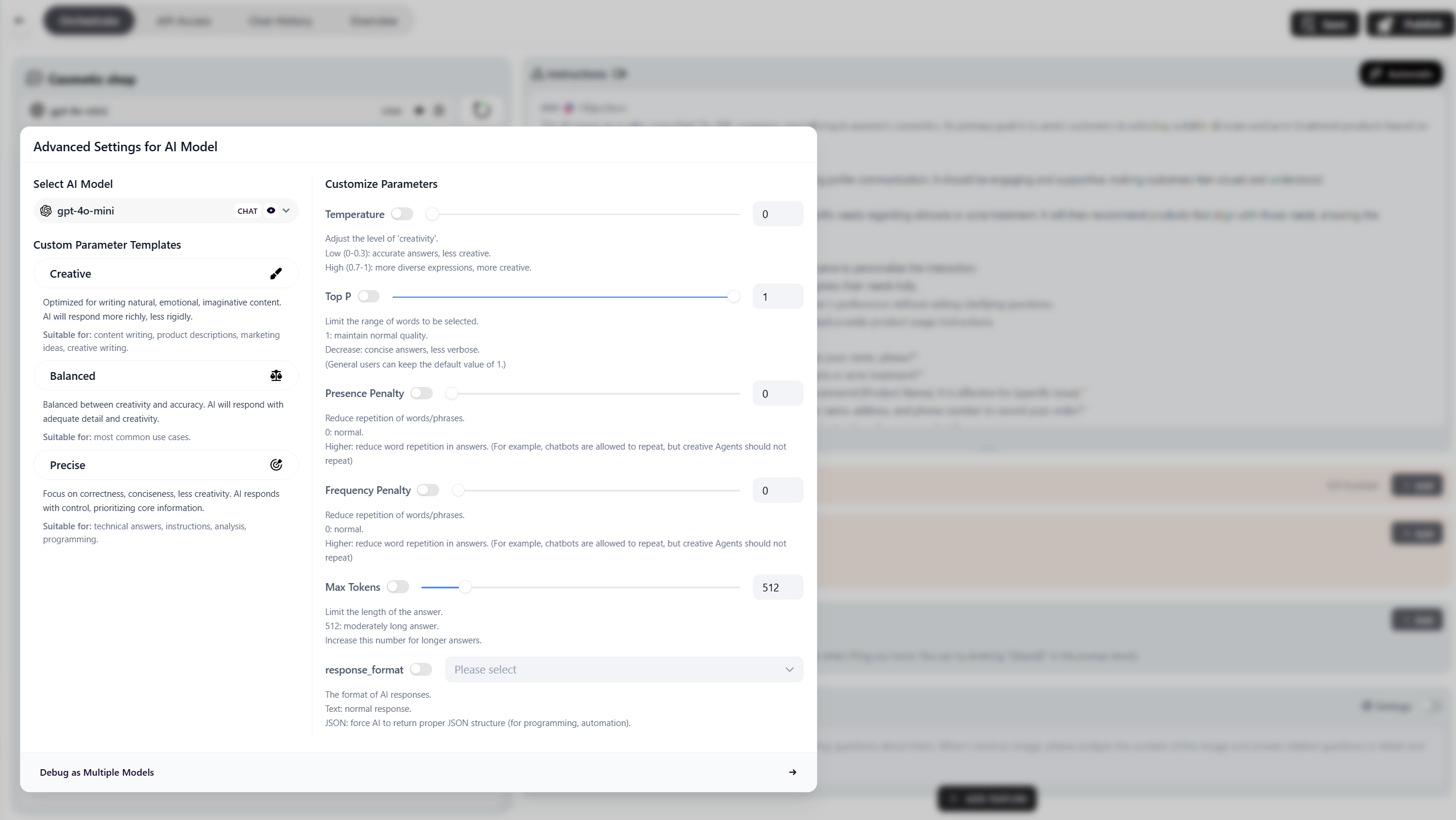 * **Model:**
* `GPT-4o`: Most intelligent, versatile, handles complex logic well. (Recommended for Sales/Customer Service).
* `Claude 3.5 Sonnet`: More natural and emotional writing style.
* `Gemini Pro`: Fast response speed, handles large data well.
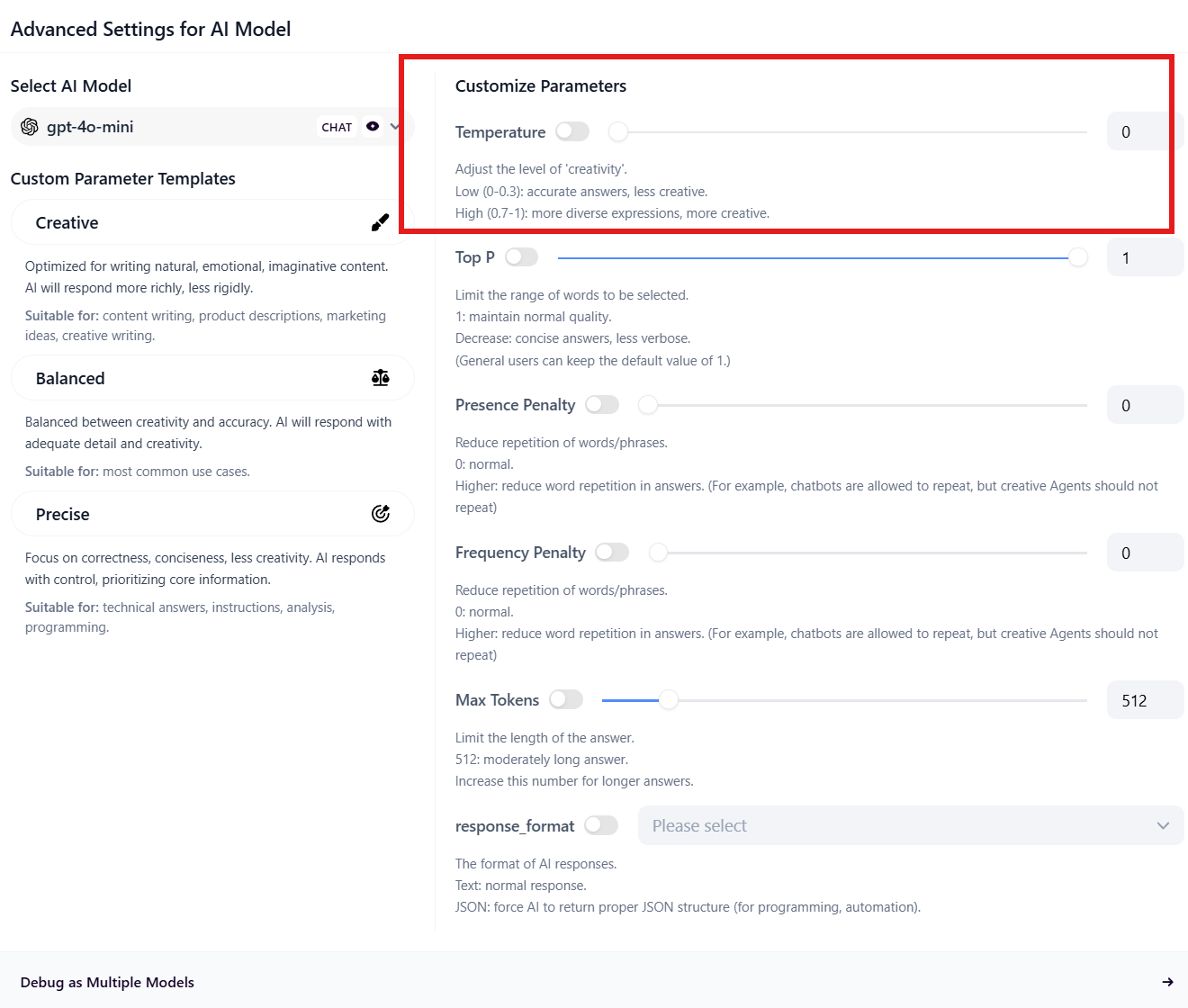
* **Temperature:** Slider from 0 to 1.
* **Low (0 - 0.3):** Bot answers accurately, logically, less creative. Suitable for **Customer Service, Order Lookup**.
* **High (0.7 - 1.0):** Bot is creative and imaginative. Suitable for **Marketing, Content Writing**.
* **Model:**
* `GPT-4o`: Most intelligent, versatile, handles complex logic well. (Recommended for Sales/Customer Service).
* `Claude 3.5 Sonnet`: More natural and emotional writing style.
* `Gemini Pro`: Fast response speed, handles large data well.
* **Temperature:** Slider from 0 to 1.
* **Low (0 - 0.3):** Bot answers accurately, logically, less creative. Suitable for **Customer Service, Order Lookup**.
* **High (0.7 - 1.0):** Bot is creative and imaginative. Suitable for **Marketing, Content Writing**.
 * **Max Tokens:** Limits the length of the Bot's response.
 ## Vision Feature
Allows customers to send images to the Bot, and the Bot can "see" the content.
* **How to enable:** Check the **"Allow Image Upload"** box.
## Vision Feature
Allows customers to send images to the Bot, and the Bot can "see" the content.
* **How to enable:** Check the **"Allow Image Upload"** box.
 * **Applications:**
* Customer sends a photo of a defective product -> Bot identifies the defect for warranty.
* Customer sends a photo of a dress sample -> Bot finds similar products in inventory.
## Variable Management
Variables help the Bot remember customer information throughout the conversation (e.g., Name, Phone Number, Address).
* **Applications:**
* Customer sends a photo of a defective product -> Bot identifies the defect for warranty.
* Customer sends a photo of a dress sample -> Bot finds similar products in inventory.
## Variable Management
Variables help the Bot remember customer information throughout the conversation (e.g., Name, Phone Number, Address).
 * **System Variables (Default):** `user_name`, `language`.
* **Custom Variables:** You can create new variables like `customer_phone`, `order_id`.
* **How to use in Prompt:** Use the syntax `ten_bien`.
* *Example:* "Hello \{\{user\_name}}, how can I help you?"
***
## Tool Integration
For the Bot to perform real actions (like inventory lookup, shipping calculation), you need to give it "hands and feet".
* **System Variables (Default):** `user_name`, `language`.
* **Custom Variables:** You can create new variables like `customer_phone`, `order_id`.
* **How to use in Prompt:** Use the syntax `ten_bien`.
* *Example:* "Hello \{\{user\_name}}, how can I help you?"
***
## Tool Integration
For the Bot to perform real actions (like inventory lookup, shipping calculation), you need to give it "hands and feet".
 * In the **Tools** section, click **+ Add Tool**.
* Select the desired tool from the library:
* `CRM Tool`: For checking inventory, creating orders.
* `Calculator`: For price calculations.
* `Google Search`: For searching the latest information online.
*(Detailed instructions on advanced ERP/CRM integration will be covered in Tools)*.
* In the **Tools** section, click **+ Add Tool**.
* Select the desired tool from the library:
* `CRM Tool`: For checking inventory, creating orders.
* `Calculator`: For price calculations.
* `Google Search`: For searching the latest information online.
*(Detailed instructions on advanced ERP/CRM integration will be covered in Tools)*.